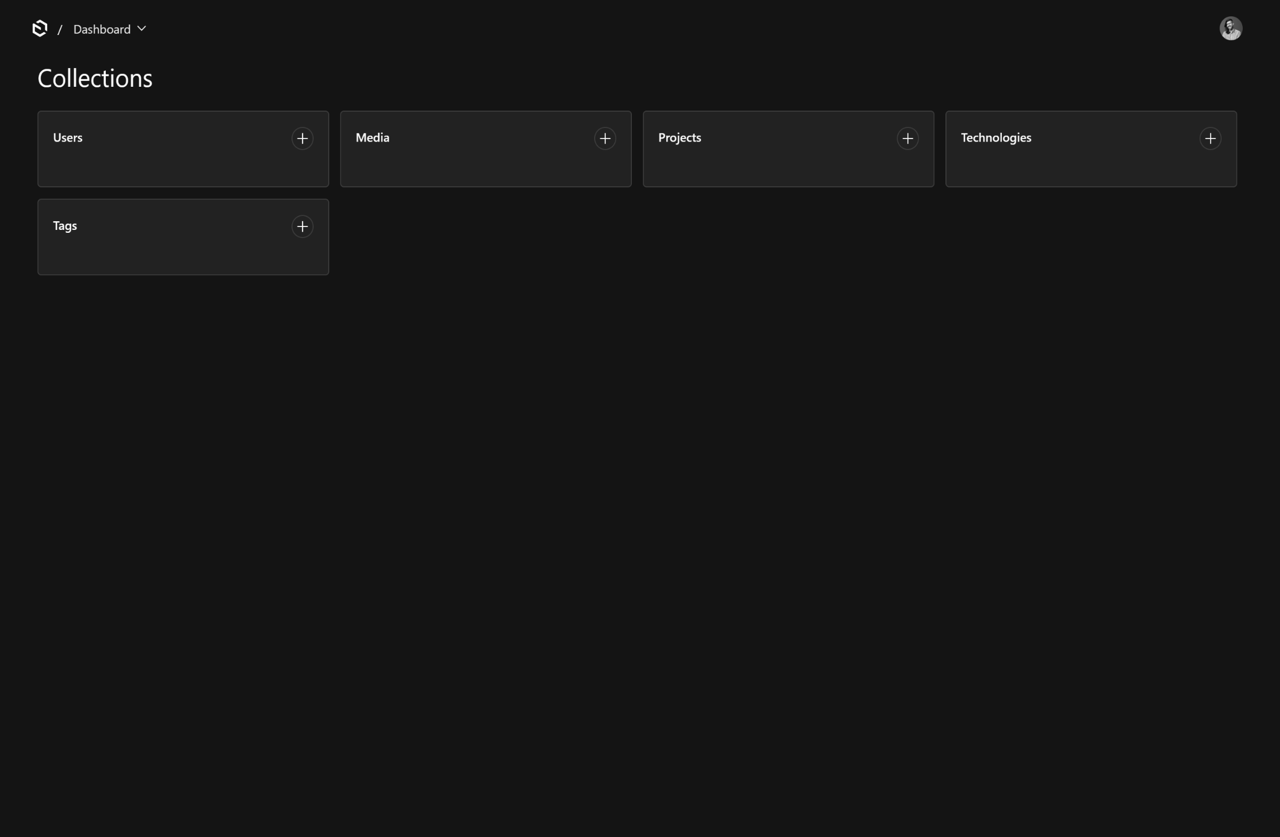
A headless content management system that powers my portfolio site — it stores the projects, the technologies behind them, and the images, and hands them to the front end over an API. The interesting part isn't the CMS itself but the automation around it: a command-line pipeline that scans my GitHub account and deployed sites, drafts each project's write-up with an AI model, screenshots the live pages, and then publishes the whole thing into the CMS so that adding a new portfolio entry takes minutes instead of an evening.
Portfolio CMS
A headless Payload CMS powering my portfolio site, extended with a command-line pipeline that scans GitHub repos and live sites, drafts write-ups with Claude, captures screenshots with Playwright, and publishes via API — turning a multi-hour manual workflow into minutes.
Client
Andrew Braun Portfolio
Status
Live
Introduction
The Challenge
Building a personal portfolio CMS that not only stores content but automates the entire project ingestion workflow — from scanning GitHub repositories and live sites to generating write-ups, capturing screenshots, and publishing everything via API — while remaining safe to re-run without overwriting manual edits.
The Outcome
Adding a new portfolio project went from an evening of manual case-study writing to minutes of CLI commands and review, with all write-up generation, screenshot capture, and structured field extraction fully automated.
Tech Stack
Frontend
- Next.js
- React
Language
- GraphQL
- TypeScript
- SQL
- Node.js
Backend
- Payload CMS
- Cloudflare R2
- AWS SDK
- REST API
- Amazon S3
Database
- PostgreSQL
DevOps
- Docker
- GitHub Actions
- pnpm
- Husky
- lint-staged
- BuildKit
- GitHub Container Registry
- GHCR
- Dokploy
Tooling
- Claude
- Anthropic
- Playwright
- Vitest
- ESLint
- Prettier
- Chromium
- SHA-256
- Payload CMS v3 running inside a Next.js 16 App Router app — the admin panel, REST API, and GraphQL endpoints all live in the same deployment via route groups (
(payload)and(frontend)) - PostgreSQL through
@payloadcms/db-postgres, with schema changes tracked as committed SQL migrations rather than auto-push - TypeScript in strict mode end to end, with collection types auto-generated by Payload into
payload-types.tsand consumed by both the app and the CLI - React 19 for the admin customisations — a custom field component injected into the Projects edit view
- Cloudflare R2 for media, wired up with
@payloadcms/storage-s3and the AWS SDK S3 client - Claude (Anthropic) for technology extraction, write-up generation, and vision-based image alt text, behind a thin typed client in
src/app/lib/ai/claude - Playwright does double duty: end-to-end tests and headless Chromium screenshot capture for the ingest pipeline
- Vitest for unit and integration tests (~20 suites, most of them covering the ingest pipeline's pure logic)
- Docker multi-stage build producing a standalone Next.js server, pushed to GHCR by GitHub Actions and deployed to Dokploy on my own infrastructure
- pnpm, ESLint, Prettier, Husky and lint-staged for the day-to-day workflow
Key Implementation Details
AI technology extraction in the admin panel
- A custom React component (
ExtractTechnologiesButton) is mounted into Payload'sbeforeDocumentControlsslot, so extraction is a single click while editing a project - The button calls a Next.js server action / route handler pair that hands the project's markdown to Claude, then reconciles the result against the Technologies collection — creating missing records with a category from a fixed enum (frontend, backend, database, devops, CMS, language, tool…) and linking them to the project
- Results are validated before writing: URLs, required fields, and category values are checked, and failures are reported back to the editor rather than silently dropped
- On one project this catalogued 23 technologies with no manual data entry
A multi-stage ingest CLI
pnpm ingest <command>runs a bespoke TypeScript CLI throughpayload run, so every command has full access to the Payload local API and generated types- Stages are separate and composable —
discover(GitHub scan via theghCLI plus a URL list),analyze(repo metadata, file tree, stack-revealing config files, plus a live-site probe for title, meta, framework fingerprints and nav links — no clone required),notes,writeup,shots,sheet,publish,remote,status - The generating stages deliberately produce files, not database rows: everything lands in a gitignored work directory and each project gets an
ENTER-ME.mdchecklist listing every field value, the write-up to paste, and each screenshot's alt text — so the whole thing degrades gracefully to a manual copy-paste workflow if anything upstream fails
Resumable, idempotent pipeline state
- A hand-editable
manifest.jsonis the source of truth;discoveronly ever appends newly-seen repos and URLs so curated edits survive re-runs - Each stage records a timestamp plus a SHA-256 fingerprint of its inputs, and skips when the artifact exists and the fingerprint still matches — with a dependency table so changing, say,
liveUrlinvalidates analysis, screenshots and write-up, while changing display ordering invalidates nothing - The manifest is fully validated before any command writes: slug format, HTTP(S) URLs, contained screenshot basenames, duplicate detection — malformed input exits nonzero instead of half-writing
- Screenshot capture is transactional: everything is rendered into a temporary sibling directory and only promoted once every target succeeded, every file is a nonempty PNG of the expected dimensions, and exactly one capture is flagged as hero
Structured write-ups split into CMS fields
writeupprompts Claude twice against the same context briefing — once with the summary instructions to produce the technicaldescription_markdown, once with the case-study instructions to produce structured JSON (summary,client_name,business_challenge,contribution_highlights,outcomes,status) plus an explicitneedsReviewlist for anything the model was unsure aboutpublishsplits the generated markdown on heading text (loose matching, not position) intointro_markdown,tech_stack_markdown,implementation_markdownandoutcome_markdownso the front end can lay each section out independently, while the whole document is retained for extraction- Unmatched headings and missing sections are reported rather than causing failure — a project that doesn't fit the four-section mould simply publishes with fewer section fields
- Case-study generation failures write a stub sidecar with every field flagged for review, so the write-up stage still succeeds
Authenticated remote publishing
publish --remotepushes straight to the live instance over its REST API — uploading screenshots, creating or updating the project, and triggering technology extraction — authenticated with an API key from a dedicatedthird-party-accesscollection using Payload'suseAPIKeyauth- Updates are deliberately partial: omitted fields preserve whatever is already in the CMS, concrete values replace, and an explicit
nullclears nullable fields, so hand-edits in the admin panel aren't clobbered by a re-publish - Projects arrive hidden by default unless
--visibleis passed, so nothing appears on the live site before review - A companion
remotecommand exposes the same transport for one-offping/list/get/create/update/delete/uploadoperations
Migration discipline and reproducible deploys
- A Husky pre-commit hook runs ESLint, Prettier and
payload migrate:create, so a schema change can't be committed without its migration pnpm buildispayload migrate && next build, meaning production migrations are applied as part of the image build rather than as a manual step- The Docker build uses BuildKit secret mounts for
DATABASE_URIandPAYLOAD_SECRET— required for the build-time migration — so credentials never land in image history, and the build fails fast if they're absent - Deployment is fully automated: GitHub Actions builds and tags the image, pushes to GHCR, then triggers a Dokploy redeploy via its API
What I Contributed
- Architected a multi-stage CLI ingest pipeline (discover → analyze → notes → writeup → shots → publish) using GitHub CLI for repo scanning, Claude for AI-generated write-ups and alt text, and Playwright for automated 2560×1440 screenshots, with full resumability via SHA-256 fingerprinting and transactional artifact promotion.
- Built a custom React admin component injected via Payload's beforeDocumentControls that triggers Claude-based technology extraction, auto-creates missing Technology records with categorisation, and links them to projects — cataloguing 23 technologies on one project with zero manual entry.
- Designed a file-first, manifest-driven pipeline where every stage produces hand-editable artifacts in a work directory with explicit needsReview flags, so the entire workflow degrades gracefully to manual copy-paste if upstream automation fails.
- Implemented authenticated remote publishing over Payload's REST API with partial-update semantics (omitted fields preserve CMS values, concrete values overwrite, explicit null clears) so hand-edits in the admin panel are never clobbered by re-ingestion.
Outcome
-
Every deployment is reproducible: Husky pre-commit hooks enforce migration creation, Docker builds apply schema changes at image-build time using BuildKit secrets, and GitHub Actions + Dokploy handle zero-downtime deploys to self-hosted infrastructure.
-
The ingest pipeline is safe to re-run: fingerprint-based stage skipping, transactional screenshot promotion, manifest validation with nonzero exit on malformed input, and partial updates ensure existing content is never trashed.
The CMS gives my portfolio a properly typed, migration-tracked content backend with cloud media storage, but the real win is the ingest pipeline: adding a project went from writing a case study by hand to running a handful of commands and reviewing the output. The design is deliberately conservative — file-first artifacts, fingerprint-based resumability, transactional screenshot capture, partial updates that never overwrite hand-edits, and unit tests around each stage's logic — so the automation is safe to re-run without fear of trashing existing content.